Class: QgsLayoutView
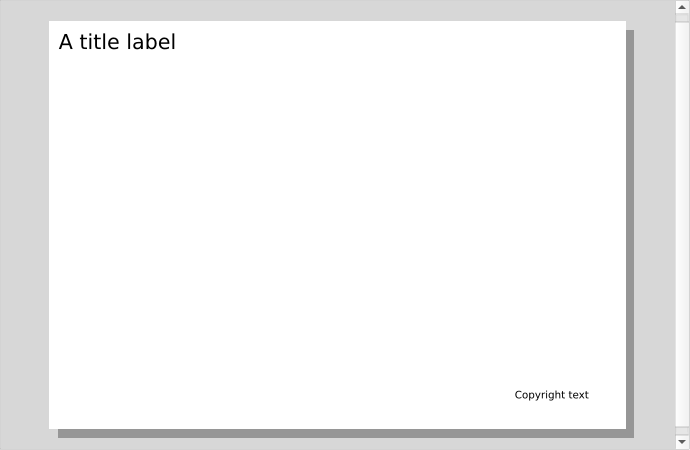
A graphical widget to display and interact with QgsLayouts.
QgsLayoutView manages the layout interaction tools and
mouse/key events.
QgsLayoutView
List of all members, including inherited members
Class Hierarchy
Base classes
Constructor
Enums
Methods
Aligns all selected items using the specified alignment. |
|
Cuts or copies the a list of items, respecting the specified operation. |
|
Cuts or copies the selected items, respecting the specified operation. |
|
Returns the current layout associated with the view. |
|
Returns the page visible in the view. |
|
Delete the specified items. |
|
Deletes all selected items. |
|
Returns the delta (in layout coordinates) by which to move items for the given key event. |
|
Deselects all items in the view. |
|
Distributes all selected items using the specified distribution. |
|
Groups all selected items. |
|
Returns |
|
Inverts the current selection, selecting deselected items and deselecting and selected items. |
|
Locks any selected items, preventing them from being interacted with by mouse interactions. |
|
Lowers the selected items down the z-order. |
|
Returns the provider for context menus. |
|
Lowers the selected items to the bottom of the z-order. |
|
Raises the selected items to the top of the z-order. |
|
Pastes items from clipboard, using the specified mode. |
|
Returns the preview mode which may be used to modify the view's appearance. |
|
Returns |
|
Pushes a new status bar message to the view. |
|
Raises the selected items up the z-order. |
|
Resizes all selected items using the specified resize mode. |
|
Scales the view in a safe way, by limiting the acceptable range of the scale applied. |
|
Selects all items in the view. |
|
Selects the next item above the existing selection, by item z order. |
|
Selects the next item below the existing selection, by item z order. |
|
Sets the current layout to edit in the view. |
|
Sets a horizontal ruler to synchronize with the view state. |
|
Sets a provider for context menus. |
|
Sets the preview mode which should be used to modify the view's appearance. |
|
Sets whether a preview effect should be used to alter the view's appearance. |
|
Sets a section label, to display above the first page shown in the view. |
|
Sets the tool currently being used in the view. |
|
Sets a vertical ruler to synchronize with the view state. |
|
Sets the zoom level for the view, where a zoom level of 1.0 corresponds to 100%. |
|
Returns the currently active tool for the view. |
|
Ungroups all selected items. |
|
Unlocks all locked items in the layout. |
|
Unsets the current view tool, if it matches the specified tool. |
|
Updates associated rulers and other widgets after view extent or zoom has changed. |
|
Returns a list of page numbers for pages which are currently visible in the view. |
|
Returns a list of page items which are currently visible in the view. |
|
Zooms to the actual size of the layout. |
|
Zooms the view to the full extent of the layout. |
|
Zooms in to the view by a preset amount. |
|
Zooms out of the view by a preset amount. |
|
Zooms the view to the full width of the layout. |
Signals
Emitted when the mouse cursor coordinates change within the view. |
|
Emitted when an item is "focused" in the view, i.e. it becomes the active item and should have its properties displayed in any designer windows. |
|
Emitted when a layout is set for the view. |
|
Emitted when the page visible in the view is changed. |
|
Emitted when the view has a message for display in a parent window's status bar. |
|
Emitted when the current tool is changed. |
|
Emitted in the destructor when the view is about to be deleted, but is still in a perfectly valid state. |
|
Emitted whenever the zoom level of the view is changed. |
- class qgis.gui.QgsLayoutView[source]
Bases:
QGraphicsView- __init__(parent: QWidget | None = None)
Constructor for QgsLayoutView.
- Parameters:
parent (Optional[QWidget] = None)
- ClipboardCopy = 1
- ClipboardCut = 0
- class PasteMode(*values)
Bases:
IntEnum- PasteModeCenter = 1
- PasteModeCursor = 0
- PasteModeInPlace = 2
- PasteModeCenter = 1
- PasteModeCursor = 0
- PasteModeInPlace = 2
- alignSelectedItems(self, alignment: QgsLayoutAligner.Alignment)[source]
Aligns all selected items using the specified
alignment.See also
See also
- Parameters:
alignment (QgsLayoutAligner.Alignment)
- copyItems(self, items: Iterable[QgsLayoutItem], operation: QgsLayoutView.ClipboardOperation)[source]
Cuts or copies the a list of
items, respecting the specifiedoperation.See also
See also
- Parameters:
items (Iterable[QgsLayoutItem])
operation (QgsLayoutView.ClipboardOperation)
- copySelectedItems(self, operation: QgsLayoutView.ClipboardOperation)[source]
Cuts or copies the selected items, respecting the specified
operation.See also
See also
- Parameters:
operation (QgsLayoutView.ClipboardOperation)
- currentLayout(self) QgsLayout | None[source]
Returns the current layout associated with the view.
See also
See also
- currentPage(self) int[source]
Returns the page visible in the view. This method considers the page at the center of the view as the current visible page.
See also
- Return type:
int
- signal cursorPosChanged(layoutPoint: QPointF)[source]
Emitted when the mouse cursor coordinates change within the view. The
layoutPointargument indicates the cursor position within the layout coordinate system.- Parameters:
layoutPoint (QPointF)
- deleteItems(self, items: Iterable[QgsLayoutItem])[source]
Delete the specified
items.See also
- Parameters:
items (Iterable[QgsLayoutItem])
- deltaForKeyEvent(self, event: QKeyEvent | None) QPointF[source]
Returns the delta (in layout coordinates) by which to move items for the given key
event.- Parameters:
event (Optional[QKeyEvent])
- Return type:
QPointF
- distributeSelectedItems(self, distribution: QgsLayoutAligner.Distribution)[source]
Distributes all selected items using the specified
distribution.See also
See also
- Parameters:
distribution (QgsLayoutAligner.Distribution)
- hasItemsInClipboard(self) bool[source]
Returns
Trueif the current clipboard contains layout items.See also
- Return type:
bool
- invertSelection(self)[source]
Inverts the current selection, selecting deselected items and deselecting and selected items.
See also
See also
- signal itemFocused(item: QgsLayoutItem)[source]
Emitted when an
itemis “focused” in the view, i.e. it becomes the active item and should have its properties displayed in any designer windows.- Parameters:
item (QgsLayoutItem)
- signal layoutSet(layout: QgsLayout)[source]
Emitted when a
layoutis set for the view.See also
See also
- Parameters:
layout (QgsLayout)
- lockSelectedItems(self)[source]
Locks any selected items, preventing them from being interacted with by mouse interactions.
See also
- lowerSelectedItems(self)[source]
Lowers the selected items down the z-order.
See also
See also
See also
Returns the provider for context menus. Returned value may be
Noneif no provider is set.See also
- Return type:
- moveSelectedItemsToBottom(self)[source]
Lowers the selected items to the bottom of the z-order.
See also
See also
See also
- moveSelectedItemsToTop(self)[source]
Raises the selected items to the top of the z-order.
See also
See also
See also
- signal pageChanged(page: int)[source]
Emitted when the page visible in the view is changed. This signal considers the page at the center of the view as the current visible page.
See also
- Parameters:
page (int)
- pasteItems(self, mode: QgsLayoutView.PasteMode) list[QgsLayoutItem]
Pastes items from clipboard, using the specified
mode.A list of pasted items is returned.
See also
See also
pasteItems(self, layoutPoint: QPointF) -> list[QgsLayoutItem] Pastes items from clipboard, at the specified
layoutPoint, in layout units.A list of pasted items is returned.
See also
See also
- Parameters:
mode (QgsLayoutView.PasteMode)
- Return type:
list[QgsLayoutItem]
- previewMode(self) QgsPreviewEffect.PreviewMode[source]
Returns the preview mode which may be used to modify the view’s appearance. Preview modes are only used if
previewModeEnabled()isTrue.See also
See also
- Return type:
- previewModeEnabled(self) bool[source]
Returns
Trueif a preview effect is being used to alter the view’s appearance.See also
- Return type:
bool
- pushStatusMessage(self, message: str | None)[source]
Pushes a new status bar
messageto the view. This causesstatusMessage()to be emitted, which should cause the message to appear in the status bar for the parent window.See also
- Parameters:
message (Optional[str])
- raiseSelectedItems(self)[source]
Raises the selected items up the z-order.
See also
See also
See also
- resizeSelectedItems(self, resize: QgsLayoutAligner.Resize)[source]
Resizes all selected items using the specified
resizemode.See also
See also
- Parameters:
resize (QgsLayoutAligner.Resize)
- scaleSafe(self, scale: float)[source]
Scales the view in a safe way, by limiting the acceptable range of the scale applied. The
scaleparameter specifies the zoom factor to scale the view by.- Parameters:
scale (float)
- selectNextItemAbove(self)[source]
Selects the next item above the existing selection, by item z order.
See also
See also
See also
- selectNextItemBelow(self)[source]
Selects the next item below the existing selection, by item z order.
See also
See also
See also
- setCurrentLayout(self, layout: QgsLayout | None)[source]
Sets the current
layoutto edit in the view.See also
See also
- setHorizontalRuler(self, ruler: QgsLayoutRuler | None)[source]
Sets a horizontal
rulerto synchronize with the view state.See also
- Parameters:
ruler (Optional[QgsLayoutRuler])
- setMenuProvider(self, provider: QgsLayoutViewMenuProvider | None)[source]
Sets a
providerfor context menus. Ownership of the provider is transferred to the view.See also
- Parameters:
provider (Optional[QgsLayoutViewMenuProvider])
- setPreviewMode(self, mode: QgsPreviewEffect.PreviewMode)[source]
Sets the preview
modewhich should be used to modify the view’s appearance. Preview modes are only used ifpreviewModeEnabled()isTrue.See also
See also
- Parameters:
mode (QgsPreviewEffect.PreviewMode)
- setPreviewModeEnabled(self, enabled: bool)[source]
Sets whether a preview effect should be used to alter the view’s appearance.
- Parameters:
enabled (bool) – Set to
Trueto enable the preview effect on the view.
See also
- setSectionLabel(self, label: str | None)[source]
Sets a section
label, to display above the first page shown in the view.- Parameters:
label (Optional[str])
- setTool(self, tool: QgsLayoutViewTool | None)[source]
Sets the
toolcurrently being used in the view.See also
See also
- Parameters:
tool (Optional[QgsLayoutViewTool])
- setVerticalRuler(self, ruler: QgsLayoutRuler | None)[source]
Sets a vertical
rulerto synchronize with the view state.See also
- Parameters:
ruler (Optional[QgsLayoutRuler])
- setZoomLevel(self, level: float)[source]
Sets the zoom
levelfor the view, where a zoom level of 1.0 corresponds to 100%.- Parameters:
level (float)
- signal statusMessage(message: str)[source]
Emitted when the view has a
messagefor display in a parent window’s status bar.See also
- Parameters:
message (str)
- tool(self) QgsLayoutViewTool | None[source]
Returns the currently active tool for the view.
See also
- Return type:
- signal toolSet(tool: QgsLayoutViewTool)[source]
Emitted when the current
toolis changed.See also
- Parameters:
tool (QgsLayoutViewTool)
- unsetTool(self, tool: QgsLayoutViewTool | None)[source]
Unsets the current view tool, if it matches the specified
tool.This is called from destructor of view tools to make sure that the tool won’t be used any more. You don’t have to call it manually,
QgsLayoutViewTooltakes care of it.- Parameters:
tool (Optional[QgsLayoutViewTool])
- viewChanged(self)[source]
Updates associated rulers and other widgets after view extent or zoom has changed. This should be called after calling any of the QGraphicsView base class methods which alter the view’s zoom level or extent, i.e. QGraphicsView.fitInView().
- visiblePageNumbers(self) list[int]
Returns a list of page numbers for pages which are currently visible in the view.
See also
- Return type:
list[int]
- visiblePages(self) list[QgsLayoutItemPage]
Returns a list of page items which are currently visible in the view.
See also
- Return type:
list[QgsLayoutItemPage]
- signal willBeDeleted[source]
Emitted in the destructor when the view is about to be deleted, but is still in a perfectly valid state.